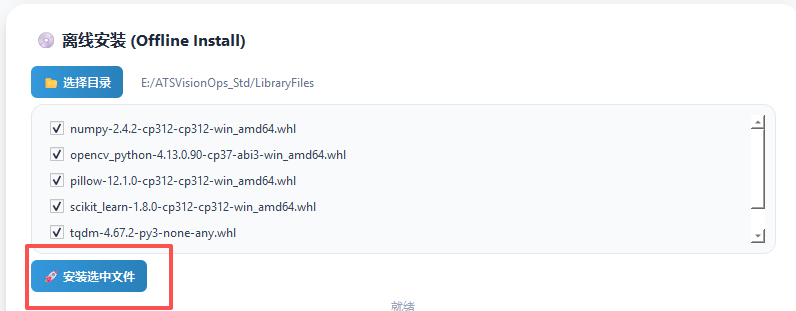
2. Dependency Library Configuration
Who This Page Is For
This page is intended for users who need to understand the dependency composition of the software, or who cannot use the built-in deployment tool on site. Regular users should use the built-in "Environment Deployment" module directly (recommended).
1. Install Python 3.12 (Required Prerequisite)
This software recommends a Python 3.12 series environment.
Ubuntu 24.04.4 LTS ships with a built-in Python 3.12 series, so on that system you can skip this section.
1.1 Download Python 3.12
It is recommended to download the latest stable 3.12 release from the official Python website:
- Official download page: All Python versions
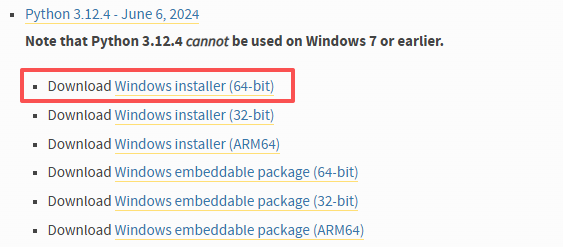
- Recommended download: Look for the
Windows installer (64-bit)for the 3.12 series on the page, such as Python 3.12.4.
1.2 Key Installation Steps
1.2.1 Start the Installation
- Run the downloaded
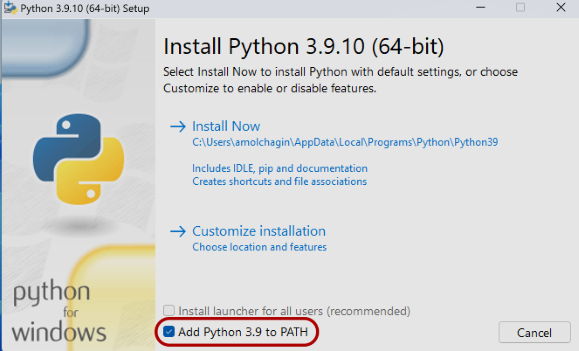
.exeinstaller. - Important (mandatory): On the first screen of the installer, check "Add Python.exe to PATH".
If you do not select this option, you will not be able to use the python command directly in the terminal.
- Click "Install Now", or choose a custom installation if needed.
1.2.2 Disable the Path Length Limit (optional)
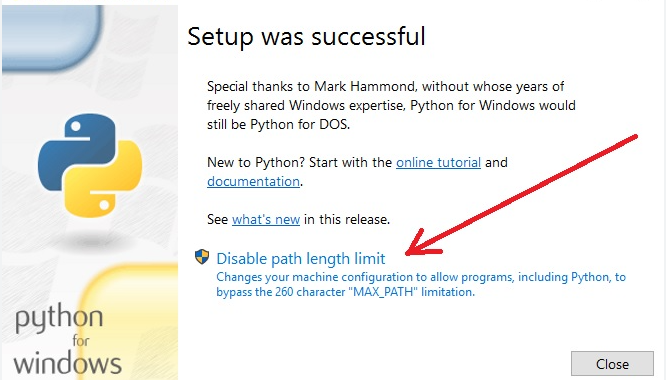
At the end of the installation, if the "Disable path length limit" option appears, it is recommended to click it. This avoids errors when handling deeply nested file paths, such as those of deep learning models.
1.3 Environment Verification
After the installation is complete, open the command line (CMD or PowerShell) and enter the following command to check:
2. Core Dependencies
To support YOLO visual detection, image processing, and data analysis features, the software requires specific Python dependency libraries. This software comes with a one-click environment deployment tool that supports both online and offline modes.
2.1 Core Dependency Library List
- OpenCV (opencv-python): Image processing and camera drivers.
- Pillow (PIL): Basic image operations and format conversion.
- NumPy: Matrix computation and visual data processing.
- Scikit-learn: Algorithm model evaluation and data preprocessing.
- Tqdm: Progress bar display during training and processing.
3. Online Deployment (Recommended)
If your environment currently has an internet connection, this is the fastest way to configure the environment.
Open the software: Enter the main interface and select Environment Deployment in the sidebar.
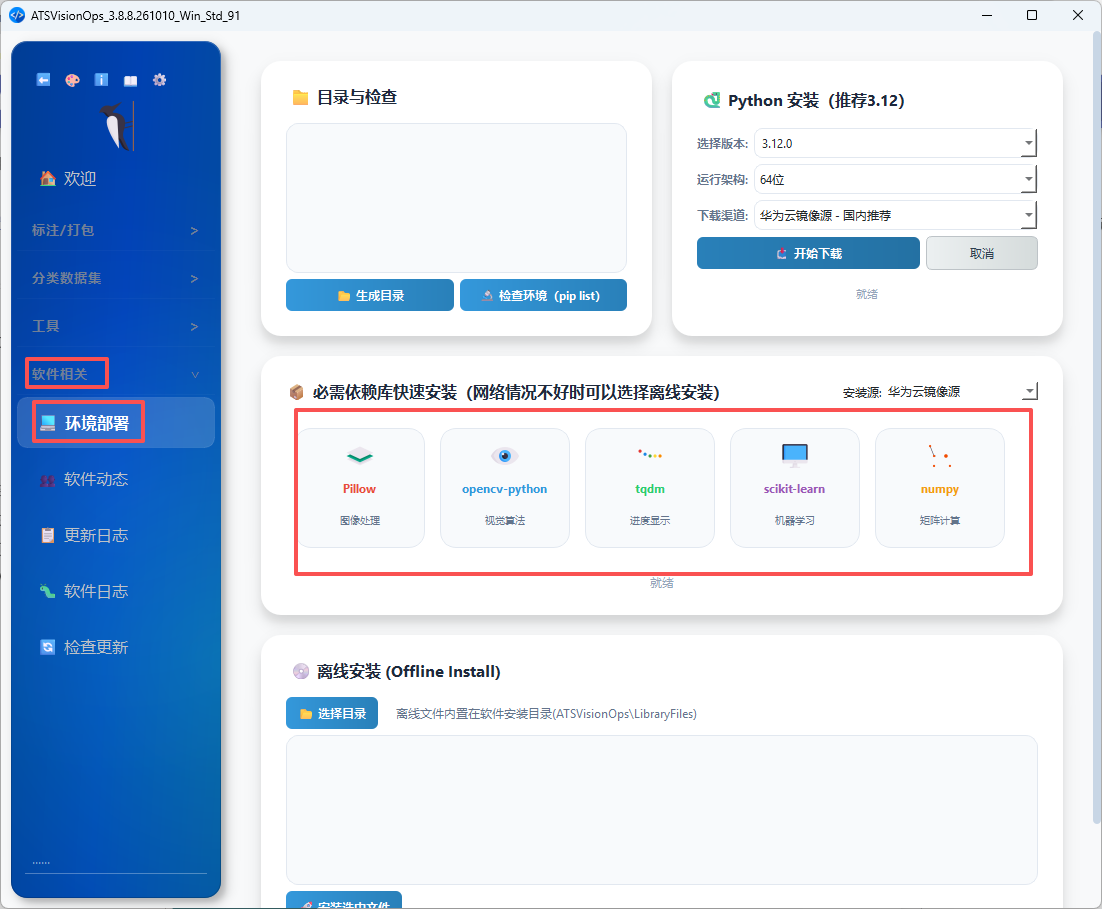
- Mirror selection:
Huawei Cloud Mirrorby default. - Installation: Click each individual card and wait for its progress bar to finish.
-
Verification:
4. Offline Deployment (For Production Sites)
For industrial sites that cannot connect to the internet, follow the steps below to use the pre-downloaded offline package.
4.1 Run the Offline Installation
- In the software's "Environment Deployment" interface, select "Offline Install".
- Locate resources: In the directory window that pops up, select the offline package folder bundled with the software.
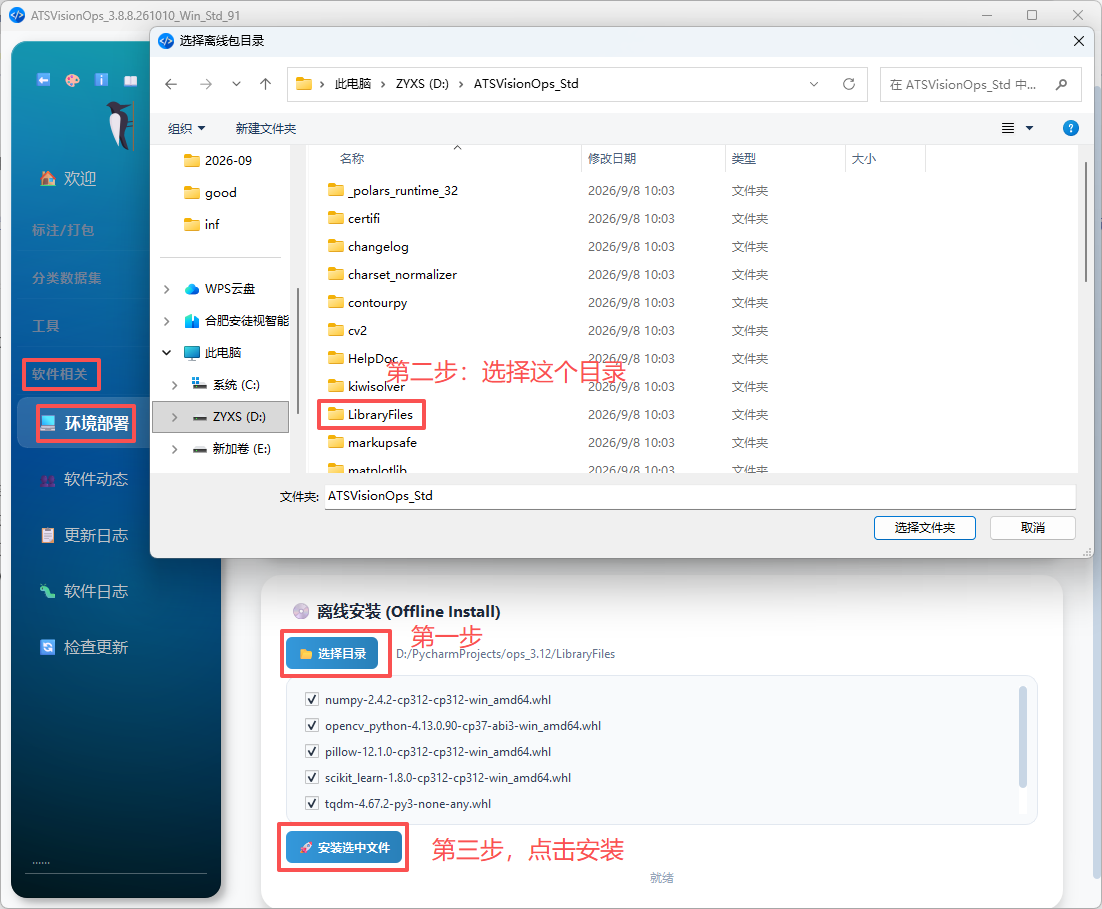
Finally, one-click deployment: Click "Install Selected Files". The software will call its built-in commands to install the whl files from a local path, with no internet connection required.