JSON
The JSON module integrates four core JSON processing tools designed for industrial visual inspection scenarios, aiming to improve the efficiency of dataset cleaning, conversion, and analysis.
1. Defect Classification (qx_class)
Description:
The system automatically scans all JSON annotation files under the specified directory and intelligently sorts them according to their internal "label" field values.
-
Classification logic:
- Single-class files, stored in a folder named after the defect: images containing only one defect type.
- Multi_class mixed files: images containing two or more defect types.
- Null_Pictures files: files that contain no label tags.
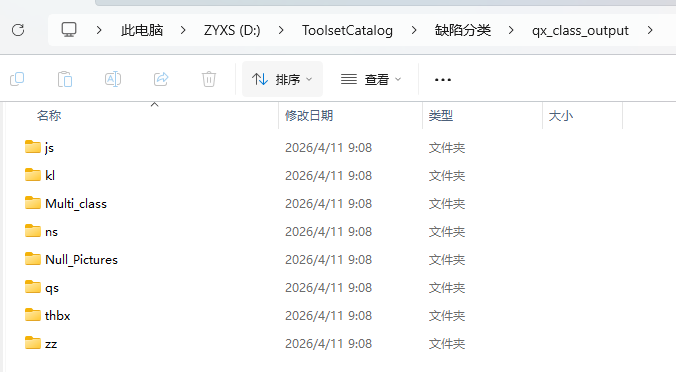
-
Path configuration:
- Default output:
D:\ToolsetCatalog\缺陷分类\qx_class_output
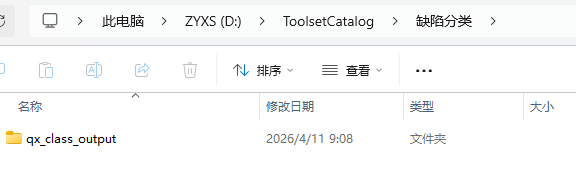
- Custom: users can manually select the base output path through the interface.
- Default output:
Use Cases
Used to quickly extract the samples of a specific defect (such as "scratches"), or to remove empty data with incomplete annotations.
2. YOLO TXT to JSON
Description:
Converts YOLO-format .txt label files back into the standard .json format.
- Conversion features:
- Automatically matches the image resolution.
- Supports coordinate restoration for OBB (rotated boxes) as well as regular boxes.
- Preserves the original correspondence between class indices and label names.
3. Batch Generation of Empty JSON
Description: In deep learning training, in order to reduce the false positive rate (FP), it is usually necessary to add a certain proportion of "negative samples" (OK images).
- Workflow:
- Select a folder containing "pure images" (images with no defects).
- The system generates a corresponding "empty JSON" file for each image.
- Purpose: Achieves a balancing effect between positive and negative samples, effectively suppressing the model's false judgments caused by background noise.
4. Dataset Visualization and Analysis
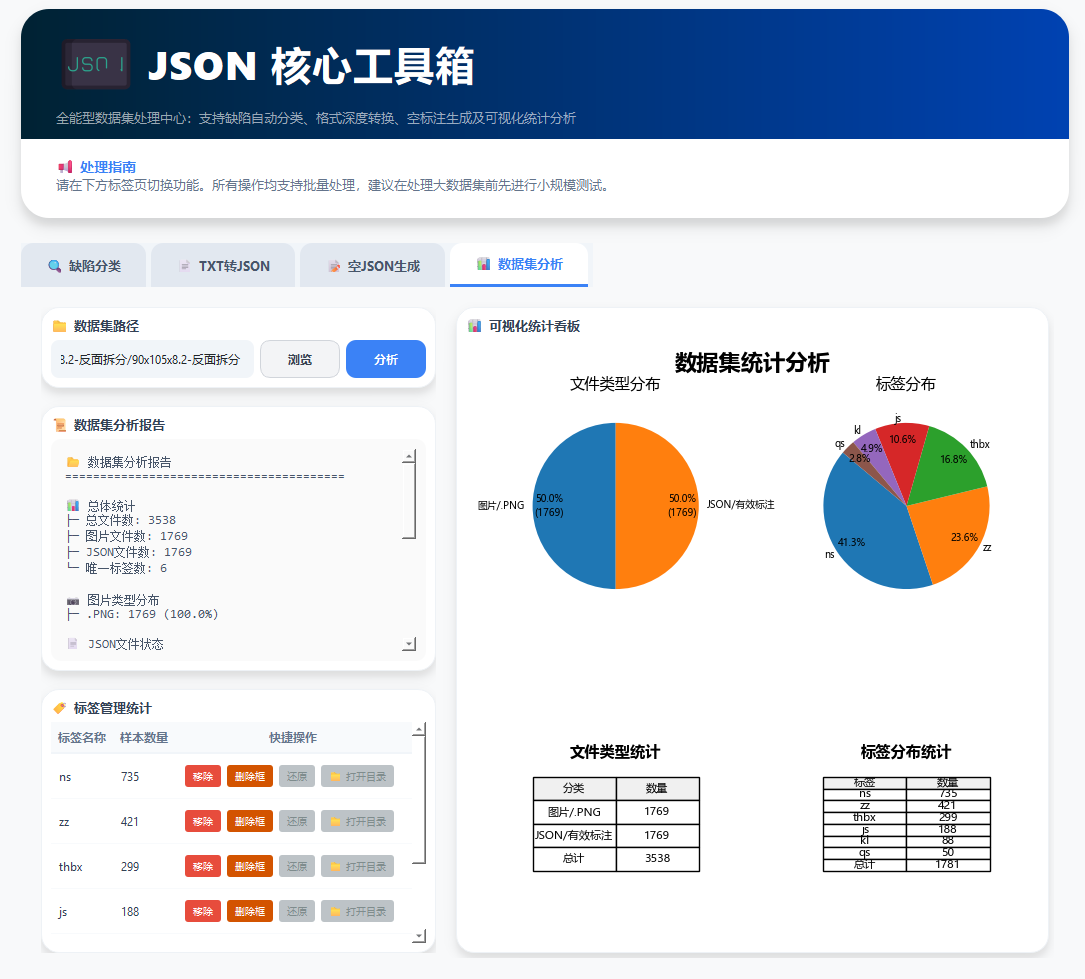
Description: Provides a fully automated, interactive dataset quality assessment report.
📊 Automatic Analysis Report
After selecting the dataset directory and clicking the [Analyze] button, the system generates a dashboard in real time containing the following:
-
A pie chart of the file / per-class count distribution.
-
A table of file / defect counts.
-
A textual analysis report of the dataset.
🛠️ Real-Time Cleanup Operations
After the analysis is complete, immediate data processing is supported in the interface:
-
Remove: Quickly deletes all files (images + JSON) containing a specific type of defect.
-
Delete Boxes: Deletes only the boxes of a specific type of defect, while keeping the original files and directory from being physically removed.
Note
The first operation, Remove, is a move operation; by default the files are moved to D:\ToolsetCatalog\数据可视化.