Classification & Detection Dataset
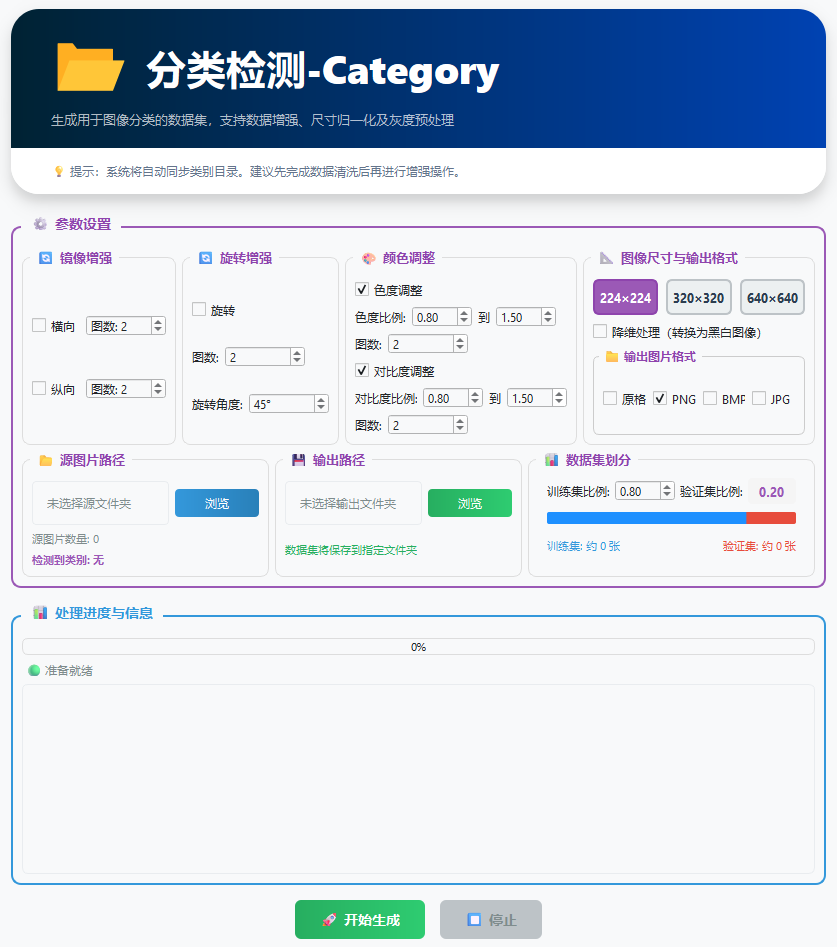
The Classification Tool is designed to build the training datasets required by deep learning classification models. It supports real-time data augmentation before export, multi-format transcoding, and flexible sample map partitioning, allowing you to generate a directory structure that meets the requirements of mainstream frameworks with a single click.
1. Core Workflow
The classification tool performs its operations in the following logical order:
-
Read: Scans the original images in the input directory, where images are already grouped by folder class.
-
Augment: Applies mirroring, rotation, or color transformations to the samples of each class according to the configuration.
-
Transcode: Converts all generated samples uniformly into the specified image format.
-
Distribute: Splits the data into the
train(training set) andval(validation set) folders according to the configured ratio.
2. Data Augmentation Configuration
Before generation, you can check the following augmentation operators. Based on the original images, the system expands them by performing transformations up to the "Image Count" you set:
| Augmentation Operator | Physical Logic | Industrial Application Recommendation |
|---|---|---|
| Horizontal Mirroring | Left-right flip (symmetric about the Y axis). | Suitable for distinguishing left/right variants of a workpiece. |
| Vertical Mirroring | Top-bottom flip (symmetric about the X axis). | Suitable for conveyor materials with no fixed orientation. |
| Full-Turn Rotation | 360° rotation at a random angle. | Essential for round workpieces; solves the rotation invariance problem for dot-marking templates. |
| Hue / Contrast | Random brightness and color shift. | Simulates lighting fluctuations and camera exposure differences on the production floor. |
3. Generation Parameters
Image Output Format
You can choose the target format according to your storage requirements or the requirements of the downstream training framework:
-
BMP / PNG: Lossless formats, recommended for high-precision industrial defect classification.
-
JPG: Compressed format, suitable for large-scale datasets and saves disk space.
-
Original format: No re-encoding; the original suffix of the input files is kept as is.
Training / Validation Set Ratio
- How it works: The ratio value represents the percentage of data assigned to the training set.
- Split example: If set to 80, 80% of the data goes into the
trainfolder and 20% goes into thevalfolder. - Special setting: If set to 100, the system performs no splitting and outputs everything as the training set.
4. Steps
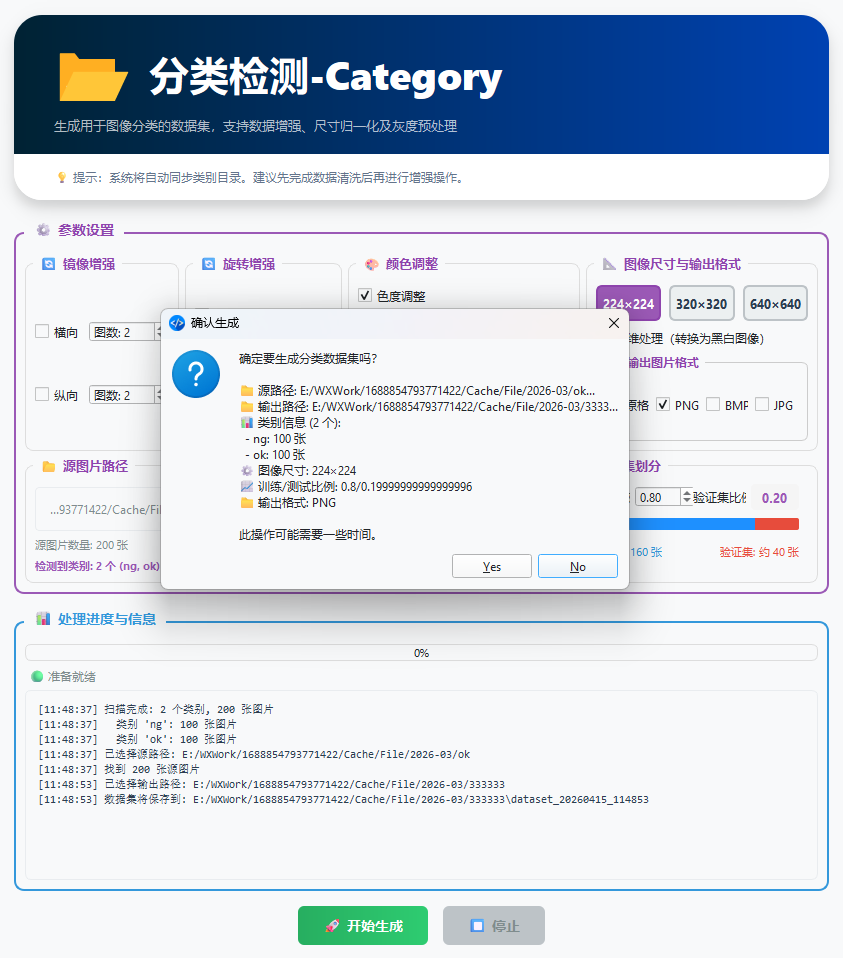
- Configure the paths:
- Input directory: Select the root path containing the original class folders (such as
OK/,NG/). - Output directory: Specify where the generated dataset will be stored (an empty new folder is recommended).
- Input directory: Select the root path containing the original class folders (such as
- Set the image count: Enter the total number of images you ultimately want generated for each class.
- Run the generation: After confirming the format and the ratio, click [Start Generation].
5. Preview of the Output Directory Structure
After the generation is complete, your output directory will have the following structure:
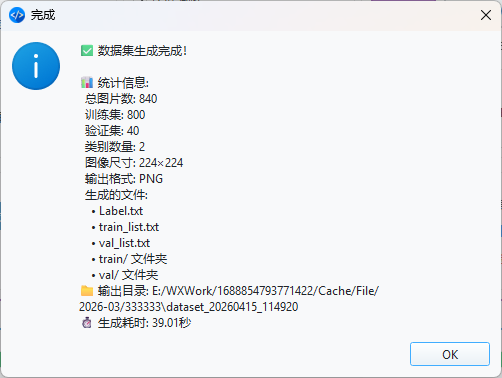
dataset_20260415_114920/

├── train/              # Training set path (Train)

│   ├── OK/       # Augmented normal samples

│   └── NG/       # Augmented defect samples

└── val/                # Validation set path (Val)

    ├── OK/       # Automatically split validation samples

    └── NG/       # Automatically split validation samples

├── Label         # Contains class information

├── train_list    # Image list of the training set

├── val_list      # Image list of the validation set
Sharing from Development Practice
In industrial classification tasks, sample balance is critical. If you only have 20 original NG samples but 200 OK samples, augment the NG class to roughly 200 images, which effectively prevents the model from developing a class bias.